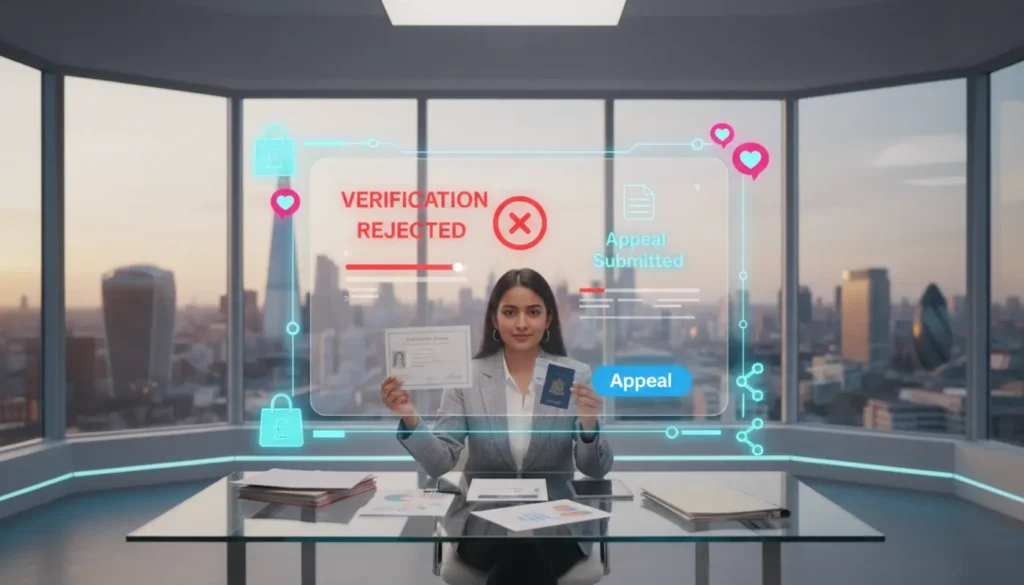
Receiving a TikTok Shop business verification rejected notice can stop your launch plans in their tracks. You have stock ready, content planned and everything set to go, then the message appears and progress pauses. The good news is most rejections have clear causes, and once you know what to fix, approval becomes much smoother.
Most declines happen because of mismatched information, unclear documents or incorrect details during setup. TikTok’s automated checks are strict, and even a small inconsistency can trigger a rejection before a human ever reviews your file.
Why TikTok Shop Business Verification Gets Rejected
When your verification is declined, it usually links back to one of three areas: mismatched details, poor document quality or eligibility issues. TikTok runs automated checks first, and anything that does not match their records is flagged straight away.
According to TikTok’s official verification guidance, the main causes are incorrect document types, unclear images, expired paperwork and inconsistent business details.
Main Reasons TikTok Rejects Verification
- Blurry or unclear documents
- Expired ID or paperwork
- Name mismatches
- Address inconsistencies
- Cropped corners or incomplete images
- Wrong business entity selected
- Documents that appear edited or not authentic
Let me break this down in simple terms. TikTok compares your documents with government records. If anything is even slightly different, it gets flagged.
Document Checklist Before You Resubmit
If you upload the same file again without checking it, you can easily end up in a rejection cycle. Use this checklist before you resubmit anything.
1. Company Registration Certificate
This document often gets flagged because small differences matter. Check that:
- Your business name matches your Seller Centre entry exactly
- Your address matches your official registration
- The document is clear, in colour and shows all four corners
- Your registration number is correct and current
2. Bank Statement Or Proof Of Account
Your bank document must clearly show:
- Business name
- Account number
- Sort code
- Bank logo
If the account name does not match your registered business name, rejection is very likely.
3. Director Or Legal Representative ID
Your ID needs to be:
- Valid and in date
- Clear and readable
- Uncropped with full edges visible
- In the name of the registered director
Changes such as updated surnames or new directors can cause instant mismatches if your documents do not reflect the same details.
4. Tax Identification Documents
For US sellers, EIN documents must match the exact address you enter. For UK sellers, VAT information must align with HMRC records. What actually happens is TikTok checks all entries against official databases, so inconsistencies stand out quickly.
How To Appeal A TikTok Shop Verification Rejection
You can appeal most verification rejections. Go to Seller Centre, open Shop Health or Violation Records and look for the rejection notice.
Most sellers get one or two appeal attempts, so make them count. When appealing, follow these steps:
- Upload corrected and clear documents
- Write a short and direct explanation
- State what was fixed
- Make sure every detail now matches exactly
Your message does not need to be long. For example:
‘Previous submission showed an incorrect address. We updated Seller Centre to match Companies House and uploaded a new bank statement with the correct registered address.’
Clear explanations help speed up manual review.
How To Resubmit After Verification Is Rejected
If the appeal button is not available, you will need to resubmit everything. This is the same structure we use when onboarding brands at TSL Agency.
Step 1: Review All Information
Check every detail in Seller Centre. Make sure your business name, address and director information are all correct and consistent.
Step 2: Make All Documents Match
Your documents must match each other and match the information you enter. Keep the spelling, formatting and address style exactly the same.
Step 3: Upload Fresh Images
Do not reuse old uploads. Take new, high quality versions of all documents.
Step 4: Check Your Entity Type
If you chose individual seller but uploaded limited company details, you will receive an automatic rejection. If you are unsure, the TikTok Shop setup services team at TSL Agency sees this mistake often.
Step 5: Submit And Track Your Status
Most resubmissions are reviewed within three to five working days. If your status stays pending for too long, our guide on TikTok Shop Verification Stuck on Pending explains how to escalate it.
Common Setup Mistakes That Trigger Rejection
Sometimes the rejection is caused by setup errors rather than your documents. Common issues include:
- Using your trading name instead of the legal name
- Incorrect postcode formatting
- Uploading screenshots instead of proper files
- Submitting black and white scans
- Editing files digitally before uploading
If you want more detail, see our full guide on TikTok Shop Setup Mistakes That Delay Approval.
Can Multiple Rejections Affect Your Account?
Multiple failed attempts can trigger a cooling off period, meaning you cannot resubmit straight away. It can also raise risk flags on your account if the system thinks your information is unreliable.
If rejections keep happening and you are unsure why, structured onboarding is often the quickest fix. At TSL Agency, we handle verification end to end to avoid repeated errors.
Can You Change Your Business Entity After Rejection?
Yes, you can adjust your business type if approval has not been granted yet. If you have already appealed, contact support before making any changes. Switching from sole trader to limited company or the other way around requires updated documents.
Let’s move forward on this correctly by keeping your business structure consistent during resubmission.
When To Get TikTok Shop Onboarding Support
If your verification has been rejected more than once, it usually means something deeper needs correcting. Most brands that come to TSL Agency face issues like:
- Two or more verification rejections
- Identity verification stuck
- Business information mismatches
- Pending review for more than a week
We manage the full process including document checks, formatting and submission. This helps avoid delays that slow down your launch.
Frequently Asked Questions
Why does TikTok Shop reject business verification documents?
Documents are often rejected when they are unclear, expired, cropped or do not match the information in Seller Centre.
Can I appeal a TikTok Shop verification rejection?
Yes. Use the appeal option in Seller Centre and include updated documents with a short explanation of what you changed.
What documents are most commonly flagged?
Company registration certificates, bank statements and director ID documents are most often flagged for mismatched names or addresses.
How long does a resubmission take?
Most resubmissions are reviewed within three to five working days.
Can multiple failed verifications lock my account?
Several rejections can lead to a cooling off period, so avoid submitting again until all issues are fully corrected.
Can I change my business entity type after a rejection?
You can change your entity before approval is granted. If you have already appealed, speak to support first.
If your TikTok Shop business verification was rejected, take your time, correct the details and submit a clean, consistent application. And if you want an expert to handle it, TSL Agency can take care of the full process so you can focus on growth once approved.