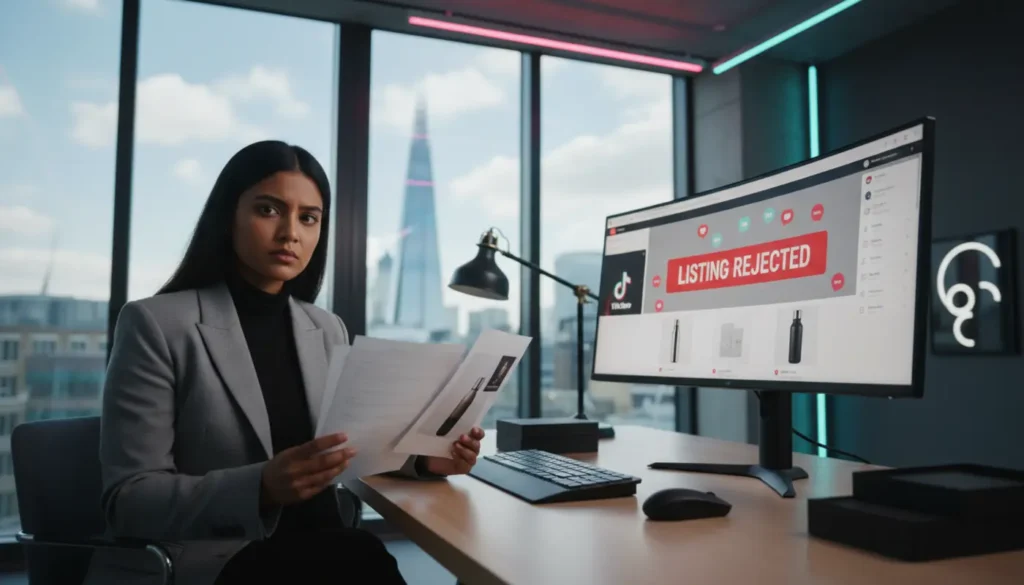
TikTok Shop listing rejected? You log into Seller Centre ready to scale, and instead you see that red notice saying your product is not approved. It is frustrating, and it stops your momentum straight away.
A TikTok Shop listing rejected alert is never random. There is always a specific rule, trigger or compliance issue behind it.
The real talk is this. Many sellers do not know which rule they have broken. They guess, resubmit and get rejected again. That cycle slows growth and harms account health. Let me break this down properly so you can fix the issue without stress.
Why TikTok Shop Listing Rejected Notices Happen
When your product is rejected, it means TikTok's system or a manual reviewer has flagged something. It could be your title, description, images, category or missing paperwork.
The official TikTok Seller University guidance explains that you should always check the exact rejection reason inside Seller Centre. That message tells you what triggered the issue, so never ignore it.
If you want help understanding your dashboard, our full TikTok Shop Seller Centre walkthrough explains every section clearly.
Let's get this sorted step by step.
Prohibited Or Restricted Products
Common Issues
This is one of the main reasons a TikTok Shop listing not approved alert appears.
If you are selling something from a restricted or prohibited category, it will fail instantly.
- Supplements and vitamins
- Beauty products with strong active ingredients
- CBD items
- Weight loss products
- Adult related items
- Weapons or replicas
- Medical devices
In the UK, rules for TikTok Shop Prohibited Products are strict. Some categories need what TikTok calls category qualification. This means you must upload invoices, brand approval, safety paperwork or regulatory documents.
If you sell supplements or wellness products, you must follow TikTok's health claims rules. We cover this fully in our health claims compliance guide.
How To Fix
Open Seller Centre, click the rejected item and review the category reason. If qualification is needed, upload the required documents. If the item is fully prohibited, remove it permanently.
Health Claims And Misleading Statements
Common Issues
If you are thinking, why is my TikTok Shop product rejected when everything looks fine, this might be the cause.
High risk phrases include:
- Weight loss guaranteed
- Cures acne
- Stops hair loss
- Clinically proven
- Burns fat fast
- Instant results
These trigger rejection because the system scans for medical or bold claims you cannot prove.
How To Fix
Remove absolute or medical claims. Keep language simple and neutral. For example, instead of saying 'cures acne', say 'designed to support clearer looking skin'. Stay factual and avoid promises.
Incorrect Category Selection
Common Issues
Sometimes the issue is not a policy breach. It is simply the wrong category.
If you list a serum under health instead of beauty, it can be flagged. The same happens with electronics or home items placed in the wrong category.
How To Fix
Update the listing and choose the correct category. Use TikTok's suggested category tool. If you want support from the start, our TikTok Shop setup service helps with clean category mapping and full compliance.
Missing Or Incomplete Product Information
Common Issues
TikTok needs full product details. These often cause rejection when missing:
- Brand name
- Clear title
- Full description
- Size details
- Material information
- Safety notes
- GTIN or SKU
If key details are incomplete, the listing is rejected automatically.
How To Fix
Fill in every required field. Use simple, accurate wording. Avoid copying supplier text. Write unique descriptions that match the actual product.
Image And Media Violations
Common Issues
Sellers are often surprised by this reason.
Your TikTok Shop listing not approved notice may come from your images, not your text.
- Low quality images
- Watermarks or logos
- Before and after pictures
- Suggestive visuals
- Distracting backgrounds
- Promotional badges
TikTok wants clean images with a simple background.
How To Fix
Upload high quality images with even lighting. Remove claims, text or badges. Keep visuals clean and clear.
Trademark And Brand Issues
Common Issues
If you sell branded products without proof, TikTok may reject the listing for intellectual property reasons.
You may be asked for invoices or brand approval letters.
How To Fix
Upload the documents TikTok requests. If you cannot prove sourcing, do not relist.
Duplicate Or Spam Listings
Common Issues
If you create several listings for one product to rank higher, it can be flagged as spam.
How To Fix
Put all variants into one listing. Do not upload duplicates or keyword-heavy versions of the same item.
How To Resubmit And Appeal The Right Way
Do not resubmit without fixing the issue first. That only leads to more rejections.
Open the rejected listing in Seller Centre, make the corrections and resubmit. Standard reviews take around 24 to 48 hours. Some categories take longer. While you wait, review your other listings to avoid more delays.
If you believe a rejection is wrong, you can file an appeal. Only do this if you are sure the listing follows policy.
Repeated rejections can harm your TikTok Shop account health. If your health score drops, your visibility and selling rights can be reduced.
If your issues escalate into warnings, read our guide on how to respond to a TikTok Shop warning notice.
When You Need A Full Catalogue Audit
If more than one listing gets rejected, you may have a deeper catalogue issue.
This is where our team at TSLA or TSL Agency can help. As a TikTok Shop Live Agency for UK brands, we carry out full catalogue audits. We check compliance, categories, health claim language, images and documents.
Many sellers fix one listing but ignore the wider pattern. That is risky. One rejection is fine. Several rejections mean something systematic is wrong.
If you want a full review of your listings, you can see how our services work at TSLA. We focus strongly on Product Listing Optimisation to help you get approved and convert better.
Quick Diagnostic Checklist
Before you resubmit any rejected listing, check these points:
- Correct category
- No health or medical claims
- Clean, simple product images
- All product details filled in
- Product is allowed on TikTok Shop
- Brand approval documents ready
- No duplicate listings
Let's move forward on this and fix the real cause, not just the surface issue.
Final Thoughts
A TikTok Shop product rejected notice often feels unclear, but you can work out the reason once you understand the policy structure.
Strong compliance builds trust with the platform. The cleaner your listings, the smoother your approvals and the better your account health.
A rejection is not the end. It is simply a sign that something needs adjusting.
If you feel overwhelmed, don't worry. Many sellers face the same challenges. Get your foundations right and growth becomes easier.
Jessica
Frequently Asked Questions
What are the most common reasons TikTok Shop rejects a product listing?
- Policy issues in titles or descriptions
- Prohibited product types
- Poor images
- Missing documents
Can I appeal a TikTok Shop product rejection?
- Yes, you can resubmit with corrections
- You can appeal if you believe the rejection is incorrect
How long does it take for TikTok to review a resubmitted listing?
- Usually 24 to 48 hours
- Longer for restricted categories
Does TikTok Shop reject listings with strong health claims?
- Yes, these are reviewed closely
- Medical style claims are often rejected
Can I relist a rejected product with a new title?
- Yes, only if the core issue is fixed
- A new title alone will not solve the rejection
Will repeated rejections impact my account health?
- Yes, it can lower your account score
- This may reduce visibility or lead to restrictions