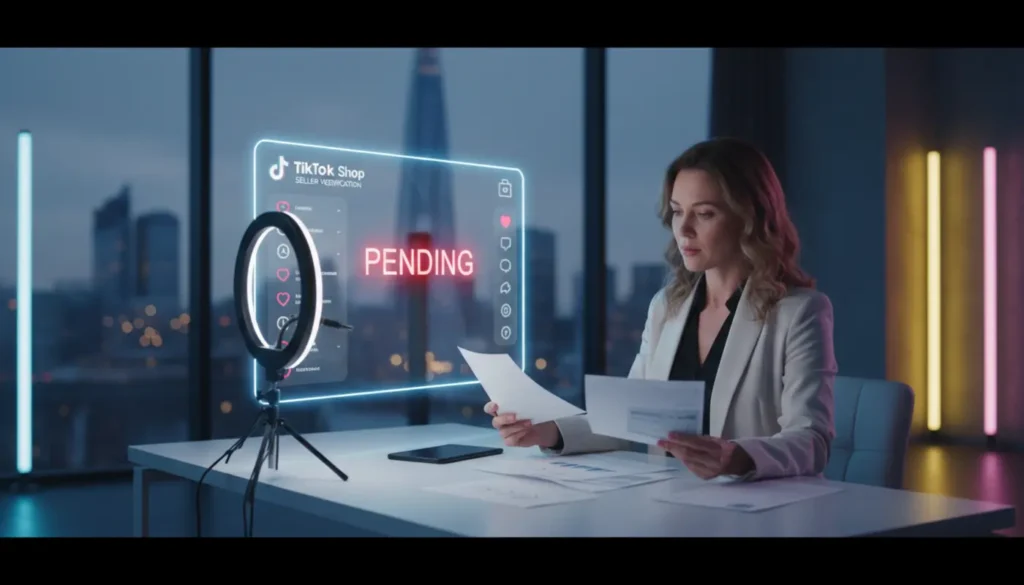
You have uploaded your documents, waited for the review, and then the message appears in your dashboard. Rejected. It is frustrating, especially when you are ready to launch your TikTok Shop. TSLA’s TikTok Shop Onboarding Support can guide you through the full process.
TikTok Shop Business Verification Rejection Reasons
Let me break this down for you. When your TikTok Shop business verification is rejected, it usually comes down to a few simple issues.
According to the official TikTok Ads business verification guide, the most common problems involve mismatched details, unclear documents or inconsistencies between what you submit and what appears in government records.
Common causes include:
- Business name mismatch
- Tax number inconsistency
- Blurry document images
- Expired ID
- Wrong document type
- Address mismatch
- Unverified business representative
What actually happens is that TikTok checks your information against official databases. Even a small difference can trigger a rejection. Everything must match exactly.
Check The Rejection Notice Inside Seller Center
Before resubmitting anything, check the notice in your Seller Center. Under Shop Health or verification status, TikTok usually explains why the verification failed.
If the reason is unclear, focus on three main areas:
- Business registration details
- Tax information
- Identity of the business representative
When we support sellers through TikTok Shop onboarding at TSL Agency, the first step is always a full document audit to remove guesswork.
Fixing Business Document Mismatches
This is the most common cause of rejection.
Your business name, registration number and address must match across:
- Company registration certificate
- Tax documents
- Seller Center details
- Proof of address
Even a small difference like writing Unit 5 instead of Suite 5 can trigger a failure.
Let’s move forward on this. Open your official documents and copy the details exactly into the application. Do not rely on memory.
Government ID Checks And Representative Requirements
If you are registering as a limited company, TikTok will ask for the ID of a business representative. This must be a director or an authorised person.
Your ID must be:
- Valid
- Clear
- Not cropped
- Fully visible
Many rejections happen due to blurry ID photos. Make sure the image is bright, clear and shows all corners.
How To Appeal A TikTok Shop Verification Failure
If your TikTok Shop business verification is rejected and you believe it is wrong, you can appeal.
Inside Seller Center, open the verification notice and select the appeal option.
Your appeal should:
- Be clear
- Stay factual
- Include corrected documents
- Explain mismatches
Example:
We noticed the rejection was due to a name mismatch. Our registered business name is TSLA Retail Ltd. The earlier upload showed an abbreviated version. Please find attached the correct Companies House certificate.
If you want help writing a strong appeal, TSLA TikTok Shop Live Agency experts can prepare this for you.
How To Resubmit Your TikTok Shop Application
Some sellers panic and create a new account. Do not do this. It can create compliance issues.
Instead, correct the current application and use the resubmission option.
Before resubmitting, check:
- All fields match official records
- All documents are clear
- No screenshots
- Tax numbers are correct
- File sizes meet requirements
TikTok compares your new documents with the previous upload. If nothing has changed, the result will not improve.
Preventing Future TikTok Shop Verification Issues
If you want smooth onboarding, treat verification like a formal compliance check.
Use this simple checklist:
- Use your exact legal name
- Match your registered address
- Check tax details
- Upload clear scans
- Confirm representative authority
- Review everything before submitting
Inside TSL Agency TikTok Shop services, we front load this process to prevent errors before submission.
When To Get Professional TikTok Shop Onboarding Support
Some cases are simple. Others involve repeated rejections, complex structures or tax issues. These cases need careful handling because what actually happens is that TikTok flags inconsistent or unclear documentation. Support from TSLA can help you prepare documents, structure appeals and meet platform rules without further issues.
Final Thoughts
If your TikTok Shop business verification is rejected, do not panic. Most issues are easy to fix. Read the rejection notice. Check your documents. Correct the mismatches. Appeal if needed. Then resubmit cleanly. Let’s get this sorted so you can focus on selling and scaling your brand on TikTok Shop.
Frequently Asked Questions
Why was my TikTok Shop business verification rejected?
It is usually caused by mismatched details, unclear documents or issues with identity verification.
Can I create a new account after a failed verification?
No. Creating multiple accounts can trigger more compliance checks.
How long does a TikTok Shop appeal take?
Most appeals are reviewed within several working days.
What documents do I need for business verification?
You normally need a company registration certificate, tax information and a valid ID for the business representative.
Is professional onboarding support helpful?
If you face repeated rejections or have complex documents, expert support can help you avoid further issues.
How can TSLA help with my verification?
TSLA guides you through the whole verification process, checks your documents and prepares clear and compliant appeals.