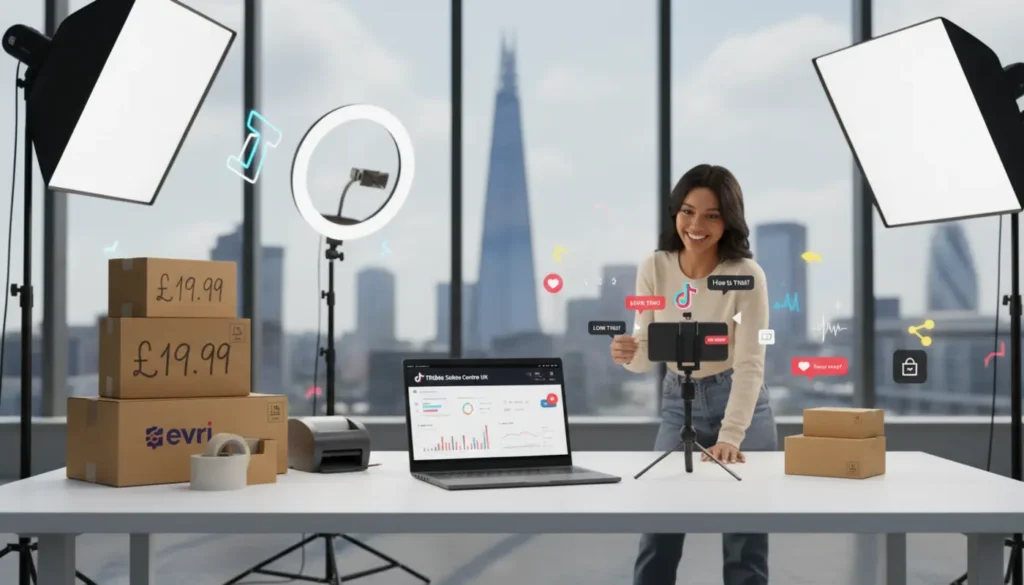
TikTok Seller Center UK is the dashboard UK sellers use to set up, manage, and grow a TikTok Shop. It is where you register, verify your identity or business, upload products, manage orders, set shipping and returns, connect your bank account, and track performance.
In simple terms, it is the back office for your TikTok Shop. It controls setup, products, orders, payouts, returns, shop health, and day to day selling tasks. If you are feeling unsure at this stage, that is normal. The key is to set things up carefully rather than rush through the process.
TikTok Shop is the place shoppers see and buy your products. Seller Center, sometimes written as Seller Centre in UK materials, is where you manage the work behind the scenes.
For many small businesses, the hard part is not wanting to sell on TikTok. It is getting set up properly without delays. Nothing is more frustrating than being ready to sell, only to have your application held back by a small document mistake. Cleartwo helps solve this through practical ecommerce support, while TSLA focuses on TikTok Shop growth, live selling, creator activity, and managed shop operations for brands that want a more joined up route to sales.
What Is TikTok Seller Center UK?
TikTok Seller Center UK is the seller dashboard for TikTok Shop in the United Kingdom. It gives you the tools to run your shop, from registration through to fulfilment, refunds, finance, marketing, and shop health.
The easiest way to understand it is to split TikTok selling into three parts. TikTok Shop is the shopping experience customers use. The TikTok app is where people discover products through videos, LIVE streams, creators, and search. Seller Center is where you manage the commercial side behind the scenes.
If you are serious about TikTok ecommerce, Seller Center becomes your daily control room. It is not just a sign up area. It is where you keep stock accurate, fix listing issues, check order status, monitor payouts, review policy alerts, and decide which products are ready for promotion.
Brands that want help beyond the basics often work with a TikTok Shop Live Agency because setup is only the first layer. The real growth usually comes when product listings, content, creators, LIVE shows, and operations all work together.
TikTok Seller Center UK Vs TikTok Shop
TikTok Shop and Seller Center are connected, but they are not the same thing. TikTok Shop is customer facing. Shoppers use it to view products, watch content, add items to basket, and complete checkout inside TikTok.
Seller Center is seller facing. You use it to upload products, manage stock, process orders, update fulfilment settings, handle returns, and check your account performance. If TikTok Shop is the shop floor, Seller Center is the stockroom, till system, finance desk, and manager’s office rolled into one.
The TikTok app still matters because it powers discovery. Your videos, LIVE sessions, creator collaborations, and product links are what turn viewers into buyers. Strong sellers do not treat Seller Center as a dull admin screen. They use it as the base for their full social commerce setup.
Who Can Sell On TikTok Shop In The UK?
UK sellers usually need to be based in the UK, be aged 18 or over, and provide the correct identity or business information during registration. TikTok may update eligibility rules, so always check the latest requirements inside Seller Center before you submit anything.
Individual sellers and sole traders can usually register with personal details and identity documents. Corporate sellers, such as limited companies, need business information as well as details for an authorised representative. This could include the company legal name, registration number, registration date, business address, and ID for the relevant person.
Your seller type matters because it affects the documents you need and how your bank details are checked. Check the legal name, address, and bank account before you submit. If the name on your bank account does not match the registered seller or company, payout verification can fail. That is a simple mistake, but it can slow down your launch.
If you are unsure whether to register as a sole trader or company, it is worth reading more about sole trader versus limited company setup before you start. Choosing the wrong route and changing it later can create extra admin.
What Documents Do You Need For TikTok Seller Center UK?
For an individual seller, prepare a valid passport or driving licence, your legal name, date of birth, address details, phone number, email address, and bank account information. TikTok may also ask for selfie, QR code, or video verification to confirm you are the person applying.
For a corporate seller, prepare your company registration details, business address, authorised representative details, government issued ID, and bank account in the correct business name. If your records do not match, your application may be delayed or rejected.
Most verification problems are simple. They usually come down to blurry images, expired ID, cropped documents, mismatched names, incorrect Companies House details, or a bank account linked to the wrong person. Treat it like opening a serious marketplace account, not like creating another social profile.
- Valid UK address
- TikTok account ready
- Email and phone number
- Clear ID document
- Matching bank details
- Warehouse address prepared
- Return process ready
Before you submit your application, check these three things: your name matches your ID, your bank details match your seller type, and your address details are consistent.
How To Create A TikTok Shop Through Seller Center
To create a TikTok Shop, start by going to the UK TikTok Shop seller registration page and signing up with a TikTok account, email address, or phone number. You will normally receive a verification code, so use an email and mobile number you can access quickly.
Next, choose your seller type. Pick individual if you are registering personally, or the correct business category if you are applying as a company, charity, or other organisation. Do not rush this part because your documents need to match your choice.
- Choose the right seller type
- Enter identity or business details carefully
- Upload clear documents
- Complete QR code or video checks if requested
- Add warehouse and return addresses
- Link the correct bank account
- Watch Seller Center for review updates
Then enter your identity or business details and upload the requested documents. If TikTok asks for QR code or video verification, complete it in good lighting and make sure your ID is readable. Small details matter here.
You will also need to add warehouse and return addresses. Your warehouse or pickup address is where stock is dispatched from. Your return address is where customers may send products back, and it can be different if you use a fulfilment partner or a separate returns location.
After that, link your bank account. This is essential for TikTok Shop UK payouts. Use the correct account holder name and check every digit before submitting because finance mistakes can be difficult once orders start coming through.
Finally, submit the application and wait for review. Approval timing can vary, so watch Seller Center notifications and your email. If TikTok asks for resubmission, fix the exact issue rather than uploading the same file again.
How To Add Products In TikTok Seller Center UK
Once your shop is approved, product listing becomes your next big task. Prepare your product title, description, category, price, stock quantity, images, videos, variants, weight, dimensions, and any compliance information before you begin.
- Write a clear product title
- Choose the right category
- Add accurate stock and pricing
- Upload sharp product images
- Explain size, colour, material, and usage
- Include compliance information where needed
- Check that claims are supported
A good TikTok Shop product listing is clear, searchable, and honest. Put the main product type and benefit near the start of the title. In the description, explain size, colour, material, compatibility, usage, what is included, and who the product is suitable for.
Images should be sharp, accurate, and consistent with what the customer will receive. Do not make claims you cannot support, especially in areas like beauty, wellness, supplements, children’s items, electronics, and food. A beauty brand might be rejected because of unsupported skin claims. A clothing seller might face refund issues if size details are unclear.
If product rejection keeps happening, review the reason inside Seller Center and compare your listing with TikTok’s product requirements. Brands often lose days because they keep changing the wrong thing. Fix the category, proof, wording, image, or document that TikTok has actually flagged.
If titles are where you are getting stuck, this guide on TikTok Shop product title optimisation is useful because titles affect both search visibility and buyer confidence.
How To Configure Shipping, Fulfilment, Returns, And Refunds
Shipping settings tell TikTok and customers how orders will be fulfilled. Set realistic processing times, keep stock updated, and make sure someone checks orders every working day. Late dispatch does not just annoy customers. It can also damage shop health.
Your warehouse address should reflect where goods are actually picked, packed, or collected. Your return address should be practical, monitored, and ready to handle customer returns. If products come back and nobody checks them, refunds and disputes can quickly become messy.
UK sellers also need to understand consumer rights. Online shoppers may have cancellation rights, and faulty goods must be handled fairly under UK law. GOV.UK has clear information on accepting returns and giving refunds, which is worth reading before you write your internal returns process.
Do not rely on memory for customer service. Create standard responses for delivery questions, damaged items, sizing, missing parcels, refund updates, and product use. Then review repeat complaints because they often reveal weak listings, poor packaging, or unrealistic delivery promises.
If you plan to go live before your stock process is ready, test your packing, dispatch, and returns workflow first. Get the basics right now and you will save yourself problems later.
How To Use Seller Center After Launch
After launch, Seller Center becomes part of your daily routine. Check products and inventory first. Pause items that are out of stock, update variants, fix inactive listings, and review any moderation alerts.
Orders are the next priority. You need to review new orders, confirm fulfilment status, track dispatch, and deal with cancellations or exceptions. If you are selling through LIVE or creator campaigns, order volume can rise quickly, so your process must be ready before traffic arrives.
Finance is where many new sellers get caught out. Payouts are not the same as gross sales. You need to reconcile orders with fees, refunds, discounts, shipping costs, creator commissions, and any promotional spend. Keep clean records from day one or your margins will become guesswork.
Marketing tools inside Seller Center can include discounts, vouchers, campaigns, affiliate activity, and product promotions. Use them carefully. A discount that looks exciting on screen can hurt profit if you forget fulfilment cost, returns, commission, and ad spend.
Analytics and shop health deserve attention too. Watch sales, conversion rate, cancellations, stockouts, refund rate, customer service performance, and policy warnings. If you want a structured view of performance, TSLA’s TikTok Shop services cover setup, growth, LIVE selling, creators, and managed operations for brands that want expert support.
Creator Affiliate And LIVE Selling Inside The Seller Journey
Creator affiliate and LIVE selling help TikTok Shop products reach buyers through trusted content and real time product demos. This is what makes TikTok Shop different from many traditional marketplaces.
Products can sell through short videos, creator reviews, affiliate content, and LIVE shopping sessions where viewers can ask questions and buy in real time. Discovery is a major strength, but it only works well when your product, stock, pricing, and fulfilment are ready.
Before offering products to creators, check your margin. You need enough room for product cost, TikTok fees, shipping, returns, and creator commission. Ask yourself whether your margins still work after fees, returns, and creator commission. A product that sells well but loses money is not a win.
Give creators accurate product information, clear usage points, approved claims, and any rules on what not to say. For LIVE selling, make sure the product is in stock, linked correctly, and easy for the host to explain. If LIVE is part of your growth plan, you can compare approaches through TikTok LIVE selling guidance for UK sellers.
Before your first LIVE session, test your fulfilment process with a small order run. It is better to find gaps before customers are watching and buying.
How To Connect TikTok Shop With Shopify
Shopify merchants can connect products and stock with TikTok Shop, which can save time if you already manage your catalogue in Shopify. This can help with product synchronisation, inventory visibility, and order management.
However, Shopify does not remove the need to understand Seller Center. TikTok specific verification, shop health, policy alerts, creator activity, promotions, refunds, and certain operational actions may still need attention inside TikTok’s platform.
The smart approach is to decide which system is your source of truth for each task. For example, Shopify may manage your core catalogue, while Seller Center manages TikTok compliance, creator selling, shop performance, and platform messages. If both systems are edited casually, stock errors and SKU mapping problems can creep in.
Common TikTok Seller Center UK Problems And Fixes
Common TikTok Seller Center UK problems include rejected applications, failed bank checks, product rejections, inactive listings, delayed orders, and sync issues. Most of these can be fixed by checking the exact alert and correcting the information TikTok has flagged.
- Application rejected: check document quality, names, and business details
- Bank account not linked: check the account holder name
- Product rejected: review category, claims, images, and documents
- Listings inactive: check missing fields and moderation status
- Orders delayed: review stock control and dispatch routines
- Shopify data wrong: inspect mapping, variants, SKUs, and sync settings
If your application is rejected, check for unclear documents, expired ID, mismatched names, or wrong business details. If your bank account cannot be linked, the account holder may not match the registered seller or company name.
If a product is rejected, review the category, claims, images, required documents, and restricted product rules. If listings are inactive, check whether fields are missing or moderation is pending. Seller Center usually gives clues, but you need to read the alerts carefully.
If orders are delayed, your stock control or fulfilment routine is the likely issue. Build a daily dispatch checklist and reconcile stock after every campaign. If Shopify data looks wrong, inspect product mapping, variants, SKUs, and sync settings before assuming the platform is broken.
Seller Center access problems can also happen when people use the wrong TikTok account, change login details, or miss verification prompts. Keep ownership clear, limit unnecessary account sharing, and document who has access to what.
TikTok Seller Center UK Checklist Before Going Live
Before going live on TikTok Shop, make sure your seller type is correct, verification is approved, your bank account is linked, your warehouse address is confirmed, your return address is ready, and your products are approved.
Then test your operations. Confirm stock quantities, packing materials, dispatch process, returns workflow, refund responsibility, customer service scripts, and product content. If you plan to use creators or LIVE selling, prepare product talking points before outreach begins.
Last reviewed: October 2026. TikTok changes menus, rules, fees, eligibility, and fulfilment options, so always confirm the latest requirements inside Seller Center before making business decisions.
Frequently Asked Questions
Is TikTok Seller Center Free?
Access to Seller Center is generally free, but selling can involve marketplace fees, fulfilment costs, creator commissions, returns, discounts, and advertising spend. Always check TikTok’s current commercial terms before pricing your products.
How Long Does TikTok Shop Approval Take?
Approval time can vary depending on document quality, seller type, verification checks, and whether TikTok requests extra information. Clear documents and matching details usually help avoid delays.
Can A Sole Trader Use TikTok Shop UK?
Yes, sole traders and individual sellers may be able to register if they meet TikTok’s UK requirements and pass identity checks. Make sure your personal details and bank account match your application.
Can I Sell On TikTok Shop Without A Website?
Yes, TikTok Shop lets customers discover and buy products inside TikTok, so a separate website is not always required. A website or Shopify store can still help with wider ecommerce operations.
Where Do I Manage Refunds?
Refunds and returns are usually managed through TikTok Seller Center, even if you use an ecommerce integration. Check each order inside Seller Center and follow TikTok’s current process.