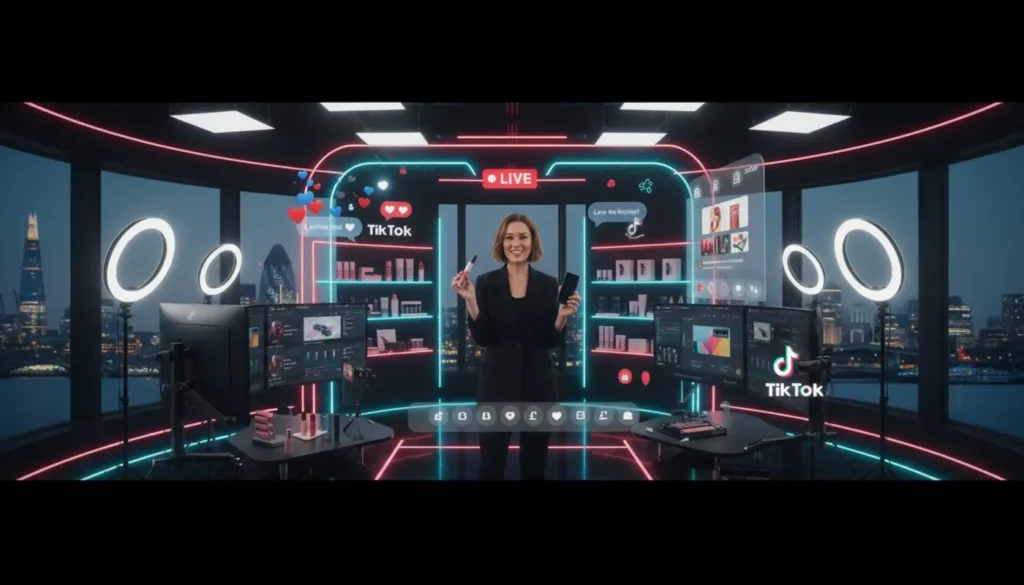
Can You Go Live On TikTok Without 1,000 Followers?
You generally cannot go LIVE on TikTok without 1,000 followers unless TikTok gives your account access because of your region, account status, or a feature rollout. TikTok’s current guidance says creators usually need 1,000 followers and must be 18 or older to host a LIVE.
Written by Jessica. Checked October 2026.
If the LIVE button is missing, it does not always mean something is wrong with your account. It often means your account has not met TikTok’s current LIVE rules yet.
For brands and sellers, the bigger issue is not just getting LIVE access. It is knowing how to use it well once the feature appears. A TikTok Shop Live Agency like TSLA can help turn TikTok LIVE into a planned sales and audience growth channel.
TikTok LIVE Requirements In 2026
TikTok LIVE access is usually based on follower count, age, account location, account health, and current platform rules. These checks help TikTok decide who can host livestreams safely.
Minimum Age Requirement
TikTok’s current Help Centre says you must be 18 or older to host a LIVE. If TikTok asks you to confirm your age, you may need to complete the steps shown in your app before LIVE becomes available.
This matters because many older articles still repeat the old claim that 16 year olds can host LIVE sessions. For current planning, use TikTok’s own guidance instead of old screenshots or copied advice.
Follower Requirement
The usual TikTok LIVE follower requirement is 1,000 followers. TikTok also says the threshold may vary by region, so the rule shown in your own account is the one that matters most.
If you are a UK creator or business with 500 followers and no LIVE tab, your app may not be broken. You may simply not meet the current follower requirement yet.
Account Location And Policy Checks
Your account must be in good standing. If you have recent policy warnings, feature limits, age checks, or location limits, TikTok may hide or remove LIVE access.
If your main goal is selling through LIVE, planning matters more than simply getting the button. TSLA’s TikTok Shop services can support setup, shop management, content, LIVE planning, and growth.
How To Request TikTok LIVE Access With Fewer Than 1,000 Followers
You can ask TikTok to review your LIVE access if the option is missing, but this is a support request rather than a guaranteed way around the 1,000 follower rule. TikTok does not promise to approve LIVE access below the usual threshold.
Before you contact support, check these points:
- Make sure the account holder is 18 or older.
- Check that the birth date on the account is correct.
- Open TikTok and tap the plus button at the bottom of the screen.
- Swipe across the creation options and look for LIVE.
- If LIVE is missing, go to your profile and open the menu.
- Choose Settings and privacy.
- Open the Help Centre or Report a problem area.
- Choose the LIVE issue that best matches your situation.
- Explain that the LIVE option is unavailable and ask TikTok to review your account.
Keep your message short and honest. Do not say you had access if you did not, and do not send the same request again and again. Repeated support messages can make the process harder, not faster.
Why A TikTok LIVE Bypass May Not Work
A TikTok LIVE bypass sounds tempting, but there is no public official button that lets every creator go LIVE below 1,000 followers. Some accounts may get access early, but that does not mean the same option is available to everyone.
A support request may work for some users, but it is not a reliable method. TikTok may reject the request or confirm that your account does not meet the current rules.
If your account does not show LIVE, check whether the issue is really a restriction or simply normal ineligibility. The most common reasons include incomplete age checks, regional limits, temporary account restrictions, app issues, or being logged into the wrong profile.
Some creators also compare accounts without knowing the full story. Another account may have had LIVE access before, may be in a different country, may be part of a platform test, or may have stronger account trust.
What Not To Do When Trying To Unlock TikTok LIVE
Risky shortcuts can damage the same account you are trying to grow. If TikTok sees suspicious behaviour, your chances of getting LIVE access may get worse.
- Do not buy fake followers.
- Do not use a false age.
- Do not pay unlock sellers.
- Do not install copied apps.
- Do not share your login details.
- Do not spam support tickets.
- Do not use another person’s identity.
Buying followers is especially risky because it can ruin your engagement rate. If 1,000 people follow you but hardly anyone watches, comments, or buys, TikTok has little reason to trust your content.
The safer route is simple. Build the account properly, keep your content focused, and only use support when there is a real issue to check.
How To Troubleshoot A Missing TikTok LIVE Option
If the LIVE button is not showing, work through the basics before assuming your account is blocked. A simple app issue or account mix up is more common than many people think.
Update TikTok from your app store, close the app fully, restart your phone, and log back in. Check that you are using the right account, especially if you manage personal, creator, and business profiles on the same device.
Next, review your TikTok notifications. Look for policy messages, feature limits, age checks, or warnings that could affect LIVE access.
If you appear to meet the rules but still cannot see LIVE, contact TikTok through in app support. Give clear details and wait for a reply rather than sending repeated requests.
Can You Receive TikTok LIVE Gifts?
TikTok LIVE access and LIVE Gifts are linked, but they are not the same feature. You may be able to host a LIVE and still need to meet separate rules for Gifts, Diamonds, and virtual items.
TikTok says users must be 18 or older to send or receive Gifts during LIVE. Its virtual items rules also cover Coins, Gifts, Diamonds, and withdrawal access, so check the latest official policy if earning money from LIVE matters to you.
For the most reliable source, use TikTok’s official LIVE Help Centre. Platform rules can change, and official pages should always come before screenshots, rumours, or old videos.
How To Prepare For Your First TikTok LIVE
Getting LIVE access is only the first step. A messy first LIVE can lose viewers quickly, while a simple plan helps you look confident even if you are new.
Start with the technical basics. Use a stable internet connection, charge your device, clean your camera lens, and record in a quiet room with good lighting.
Then plan your content. Choose one clear topic, prepare three to five talking points, write a short title, and decide how you will open the session in the first 30 seconds.
If you are selling, do not just hold up products and hope people buy. Explain who the product is for, what problem it solves, why it is useful, and what the viewer should do next.
Moderation matters too. TikTok lets creators use tools such as comment filters, moderators, muting, blocking, reporting, and audience controls. Set these up before you go LIVE, not after the comments become difficult.
What To Do While Building Towards 1,000 Followers
If you cannot go LIVE yet, your job is to build demand before you get the feature. Treat every short video as a warm up for your future LIVE sessions.
Post consistently around one clear niche. A beauty brand might focus on routines, product comparisons, ingredient explainers, and customer questions. A fitness seller might show simple demos, mistakes to avoid, and quick tips that people can use straight away.
Turn common comments into new videos. This keeps your content based on real audience demand and helps you make videos people are already asking for.
Use your profile properly. Make it clear who you help, what you post, and why someone should follow you before your first LIVE goes out.
For brands that want structure instead of guesswork, TSLA can help plan content, creators, LIVE formats, and shop activity. If you are unsure where to start, you can speak to TSLA about building a safer route to TikTok growth.
Final Takeaway For TikTok LIVE Access
The safest path is simple. Check your eligibility, avoid risky shortcuts, and build a real audience while you wait. If LIVE becomes available, you will be in a much stronger position to use it well.
Do the basics well. Grow the right followers, keep your account clean, and treat TikTok LIVE as a channel that needs planning, not just a button you are trying to unlock.
Frequently Asked Questions
Is 1,000 Followers Still Required To Go LIVE On TikTok?
Yes, TikTok generally requires 1,000 followers to go LIVE, although the exact threshold may vary by region. Always check what your own app shows.
Can I Go LIVE With 500 Followers?
It depends on your account, location, and TikTok’s current rollout. You can request a review through support, but access is not guaranteed.
Can 16 Year Olds Go LIVE On TikTok?
TikTok’s current Help Centre guidance says creators must be 18 or older to host a LIVE. Older advice saying 16 year olds can go LIVE should be treated as outdated.
Can TikTok Support Unlock LIVE For Me?
You can ask TikTok Support to review your account if the LIVE option is missing. Support may help, but there is no promise that it will enable access below the usual follower threshold.
Is Buying Followers A Good Way To Unlock LIVE?
No. Bought followers can damage engagement, trust, and account quality, and they may create policy risks. Real audience growth is slower, but it is far safer.