How To Go Live On TikTok As A UK Seller
UK sellers can go live on TikTok by opening the TikTok app, tapping the plus button, choosing LIVE, adding a clear title and cover, checking comments and product settings, then tapping Go LIVE. Standard TikTok LIVE usually needs you to be at least 18 years old and have 1000 followers, although rules can vary by account and region.
TikTok Shop sellers may have another route. If your TikTok Shop is set up, verified, and linked to your TikTok account, TikTok Shop guidance says sellers may be able to go LIVE with zero followers. This can help new sellers test products, build trust, and start selling before they have a large audience.
The hard part is not only finding the LIVE button. It is knowing what to say, what to show, and how to turn viewers into buyers without sounding pushy. TSLA, a TikTok Shop Live Agency, helps UK sellers with setup, planning, hosting, and live selling support.
How To Go Live On TikTok Step By Step
Going live is simple once you know which route applies to your account. Most UK sellers will use either standard TikTok LIVE or TikTok Shop LIVE with products that viewers can buy during the stream.
If you have 1000 followers but no TikTok Shop, you can use a standard LIVE to answer questions, build trust, and bring people closer to your brand. If you have TikTok Shop but fewer than 1000 followers, focus on the seller route and make sure your shop, products, and linked TikTok account are ready.
- Open the TikTok app and log in to the right account.
- Tap the plus button at the bottom of the screen.
- Swipe through the options and choose LIVE.
- Add a clear title that tells people what they will see.
- Choose a cover image that suits the product or theme.
- Check comments, filters, audience controls, and moderators.
- If using TikTok Shop, add the products you want to show.
- Check your camera, sound, lighting, and product links.
- Tap Go LIVE when you are ready.
If you cannot see the LIVE option, do not panic. It often means your app needs an update, your account does not meet the current rules, your age details are missing, your account has limits, or your TikTok Shop is not linked properly.
Feeling nervous before your first live is normal. Most sellers worry about what to say, whether anyone will join, or whether the chat will go quiet. Start with a short session, learn from it, and improve each time.
What TikTok LIVE Shopping Means For Sellers
TikTok LIVE Shopping is a live video session where sellers show products, answer questions, and let viewers buy without leaving TikTok. Viewers can tap the shopping bag or product link, check product details, choose variants, and place an order through TikTok Shop.
This works well because live shopping feels closer to a real shop floor than a normal product listing. A beauty seller can show texture, a fashion seller can explain fit, and a homeware brand can show size, colour, and use in real time.
There are three common formats. A regular TikTok LIVE is mainly for reach and engagement. A TikTok Shop LIVE includes product links and checkout. A creator or affiliate LIVE promotes products for a seller and may earn commission.
Before planning your first session, choose the product you can explain most clearly. If you would feel confident showing it to a customer in person, it is often a good product to start with on LIVE.
TikTok LIVE Requirements For UK Sellers
For standard TikTok LIVE, TikTok usually requires you to be at least 18 years old and have 1000 followers. You also need to follow TikTok’s Community Guidelines and keep your account in good standing.
For TikTok Shop LIVE, you need a registered seller account, completed verification, approved product listings, and a TikTok account linked to your shop. If you are still setting up, the TikTok Shop services from TSLA can help organise the basics before you try to broadcast.
The zero follower route is useful, but it is not a shortcut around good selling. You still need approved products, clear delivery details, a simple show plan, and a presenter who can explain the offer calmly.
What To Check Before You Go LIVE
Preparation is where many new sellers win or lose. A live session with poor sound, broken product links, or unclear pricing will struggle, even if the product is strong.
Start by checking TikTok Shop Seller Center. Your business or individual verification should be complete, your bank details should be added, your products should be approved, and your shipping and returns settings should be correct.
Choose one clear theme for each session. Good themes include a new product launch, best sellers, seasonal gifts, skincare routine, outfit try on, warehouse deals, product comparison, or frequently asked questions.
- Phone fully charged
- Stable internet connection
- Clear product display
- Soft front lighting
- Simple show notes
- Moderator ready
- Backup power source
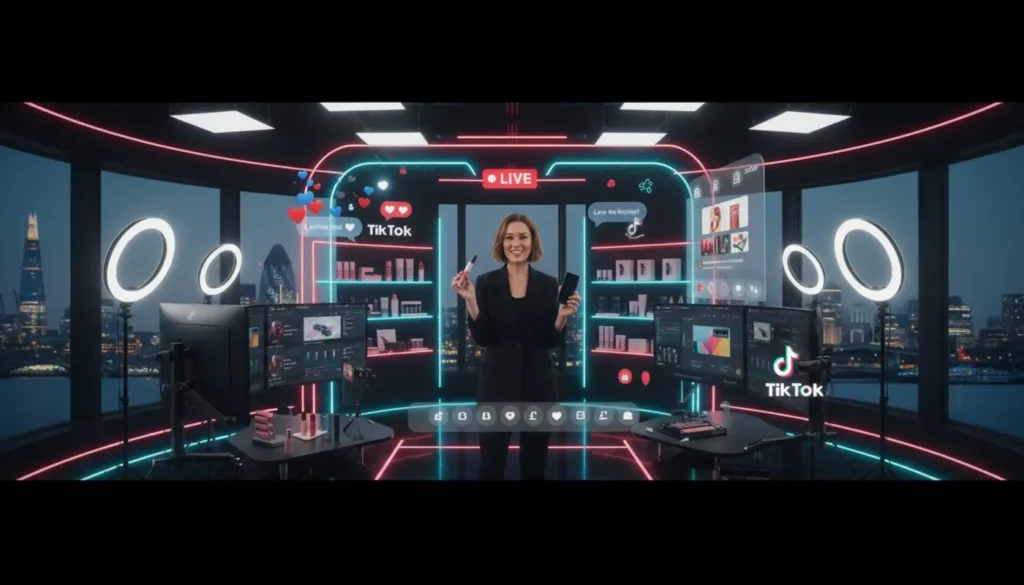
Keep the setup practical. A modern smartphone, tripod, ring light, clean background, and small microphone can be enough for a strong first show. Do not wait for a perfect studio if your product and message are ready.
Also avoid these common first live mistakes.
- Starting without checking product links
- Talking for too long before showing the product
- Forgetting to explain delivery and returns
- Ignoring questions from serious buyers
- Trying to sell too many products at once
How To Start A TikTok LIVE From The App
To start a TikTok LIVE, open TikTok and log in to the account you want to use. If you are selling through TikTok Shop, make sure this is the account connected to your shop, not a personal account used for browsing.
Tap the plus button at the bottom of the app. Scroll across the creation options until you see LIVE, then tap it to open your broadcast setup screen.
Add a clear title and cover image. A title such as “Live Demo Of Our Best Selling Hair Tool” is stronger than “Come Join” because it tells people why they should stop and watch.
Next, set up your controls. Check comments, filters, audience settings, and moderator access. TikTok allows creators and moderators to manage comments, mute viewers, report problems, and keep the chat useful.
If you are running a shopping live, add products before you start. Put them in the same order as your show plan so you can pin the right item at the right time.
Before tapping Go LIVE, check the preview. Make sure your face is visible, your products are within reach, your sound is clear, and the product links are attached correctly.
If the nerves kick in, take a slow breath and keep it simple. You are not putting on a stage show. You are helping real people decide whether your product is right for them.
How To Sell On TikTok LIVE Naturally
A good TikTok Shop LIVE is not a hard sell every few seconds. It is a helpful conversation where the seller proves the product, removes doubt, and makes buying feel easy.
Use a simple thirty minute structure. Spend the first two minutes explaining who you are, what you are showing, and why viewers should stay. Then show your first product, answer questions, show a second product or bundle, repeat the offer, and end with a clear call to action.
A simple product demonstration formula works well. Say what it is, who it is for, what problem it solves, how it works, what makes it different, what it costs, how delivery works, and how viewers can buy.
For example, instead of saying “This is really good”, say “This is useful if you want a quick morning routine because it takes less than five minutes, comes with the brush head included, and the current price is shown in the pinned product.”
When viewers join late, stay calm and help them catch up. Say, “If you have just joined us, we are showing the hair tool pinned on screen, and I am about to show how it works on the front section.” This is clear, friendly, and useful.
If the chat goes quiet, ask an easy question. Try “Would you use this at home or for travel?” or “Do you want me to show the size next to my hand?” Give people a simple reason to reply.
If you want a deeper selling framework, TSLA has a useful article on how to sell products on TikTok LIVE that explains product flow, presenter timing, and buyer confidence in more detail.
How Viewers Buy During A TikTok Shop LIVE
During a TikTok Shop LIVE, viewers usually see a shopping bag or product link on screen. When they tap it, they can view the featured products, check variants, read details, and buy through TikTok Shop checkout.
Your job is to guide attention without overwhelming people. Mention the pinned product naturally, repeat where to tap for anyone joining late, and explain delivery, stock, and returns clearly.
Product choice matters. Start with a small set of products that are easy to explain on camera. Too many items can confuse viewers and make the host look unprepared.
If you are unsure which products deserve a live slot, read TSLA’s advice on TikTok LIVE product selection. A strong range keeps the session focused and helps the host move smoothly from one item to the next.
UK Advertising And Selling Rules
UK sellers must make commercial content clear. If you are promoting your own products, earning commission, receiving payment, or gaining from a business relationship, the audience should understand that from the start.
The ASA explains that ads on social media should be easy to recognise, and labels such as Ad are preferred when content is advertising. You can read the official guidance on recognising ads on social media for more detail.
Be careful with product claims. Do not say a product cures, guarantees results, or saves money unless you can prove it and the claim is allowed for that type of product. This is especially important for health, beauty, supplements, food, and children’s products.
Also be clear about pricing, delivery charges, stock limits, seller information, and returns. Trust is not built by hiding basic details. It is built by answering the questions buyers already have.
How To Moderate Comments During A LIVE
A moderator helps manage spam, repeat useful questions, remove abusive comments, and keep the presenter focused on selling. Once comments start moving quickly, this support becomes very useful.
Pick someone calm, quick, and familiar with your products. Give them simple rules before the session, including which comments to remove, which questions to pass to the host, and when to block or report a viewer.
You can also use keyword filters for common spam terms or offensive language. This keeps the chat cleaner and makes genuine buyers more comfortable asking questions.
If you are hosting alone, keep it simple. Answer the questions that help people buy, ignore obvious bait, and do not let one negative comment pull the whole session off track.
Common TikTok LIVE Problems And Fixes
If the LIVE button is missing, check your age settings, follower count, app version, account standing, and TikTok Shop connection. Avoid unofficial bypass advice because TikTok’s official guidance should always come first.
If the stream buffers, move closer to your router, stop other devices using heavy bandwidth, and keep mobile data ready as a backup. Test your connection before going live, not after viewers arrive.
If viewers cannot see products properly, adjust the camera, move the product closer, and improve the light. A simple front light is often better than a bright ceiling light that creates shadows.
If people watch but do not buy, your pitch may be unclear. Repeat the benefit, show the product in use, mention the pinned product, answer the biggest concern, and ask the chat what they need to know before ordering.
Do not take one quiet live personally. Every session gives you useful data. Check what people asked, where they left, and what made them click.
What To Do After The LIVE
The work does not stop when the stream ends. Review total viewers, peak viewers, watch time, comments, product clicks, add to baskets, orders, revenue, and conversion rate.
Look for patterns. Which product created the most questions? Where did viewers leave? Which offer got clicks but few purchases? These details tell you what to fix before the next show.
Turn strong moments into short videos. A good answer, reaction, demonstration, or comparison can become content for your TikTok feed and help promote the next LIVE.
If reporting feels messy, TSLA can support sellers through TikTok Shop growth support, including live planning, performance reviews, and practical next steps after each broadcast.
Frequently Asked Questions
How Many Followers Do I Need To Go LIVE On TikTok In The UK?
For standard TikTok LIVE, TikTok usually requires 1000 followers and a minimum age of 18. Requirements can vary, so check the latest settings in your app before planning your session.
Can I Go LIVE On TikTok Shop With Zero Followers?
Yes, TikTok Shop guidance says linked sellers may be able to go LIVE with zero followers. Your shop must be set up, verified, and linked correctly, so get those basics right first.
How Do I Add Products To A TikTok LIVE?
Add products through the shopping tools before starting your LIVE. Choose the products you want to feature, put them in a sensible order, and pin the right item during each demonstration.
Do I Need A Moderator For TikTok LIVE?
You can go live without one, but a moderator is highly recommended for sellers. They handle comments, spam, and repeated questions while the host focuses on presenting.
Why Can I Not See The LIVE Button?
The most common reasons are eligibility, age settings, app version, account limits, or an incorrect TikTok Shop link. Check the basics first, then use TikTok’s official support channels if needed.