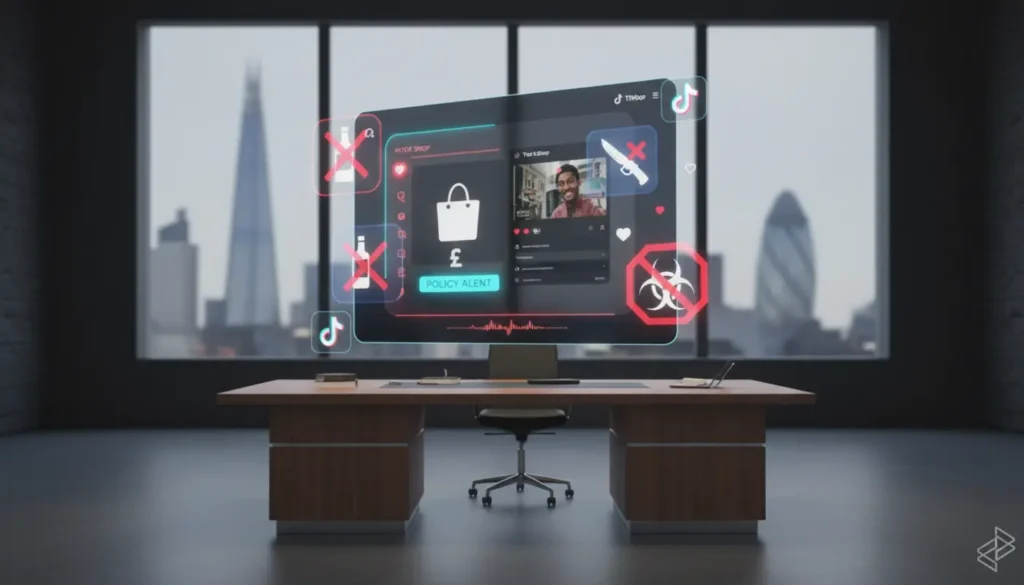
TikTok Shop support is the help system TikTok provides when something goes wrong with shopping, selling, creator activity, payments, listings or account access inside TikTok Shop. It helps shoppers, sellers, creators and affiliates solve issues such as delayed orders, refunds, payout problems, listing rejections, policy warnings and appeal cases.
Support works through several routes, including the TikTok Shop Help Centre, in app chat, Seller Centre support, support tickets, contact forms and help tools inside TikTok Shop Studio. The right route depends on who you are and what problem you need to fix.
For UK brands, the challenge is not only contacting support. It is knowing what to ask, what evidence to provide and how to stop the same issue from happening again. TSLA helps sellers build stronger TikTok Shop operations, so support problems become easier to manage and less likely to affect sales.
What Is TikTok Shop Support?
TikTok Shop support is TikTok’s customer and seller help system for commerce activity on the platform. Because TikTok Shop includes videos, LIVE shopping, product listings, checkout, delivery, returns, affiliates and payouts, support covers more than a normal social media help page.
For shoppers, support usually means help with an order. That may include a late parcel, a refund request, a cancellation, a payment issue or a product that arrived damaged.
For sellers, it is more operational. You may need help with Seller Centre, product listings, shipping settings, account health, payout delays, policy warnings, order disputes or appeal cases.
For creators and affiliates, support often covers product links, commissions, payouts, content issues and account enforcement. In simple terms, TikTok Shop support keeps the shopping, selling and creator system moving when something gets stuck.
How TikTok Shop Support Works For Shoppers
TikTok Shop support for shoppers usually works inside the TikTok app, where buyers can select an order, choose the issue type and follow the help steps before contacting support if needed.
This matters because order support is normally linked to your TikTok account and purchase history. If you contact support from the correct order page, TikTok can see the key order details more easily, which can reduce back and forth.
Common shopper issues include delayed delivery, incorrect items, refund updates, failed payments, damaged products and cancellation questions. Before contacting support, gather your order number, screenshots, delivery updates and any messages. This simple step can save time.
TikTok also provides a general help area for Shop queries, and the official TikTok support site explains how shoppers can find in app help and contact support. Use official pages when checking policies, because social media comments are not always accurate.
How TikTok Shop Support Works For Sellers
TikTok Shop support for sellers mainly works through TikTok Seller Centre, which is the main place to search help articles, use chat support, create tickets and review previous cases where available.
The Help Centre is best for quick answers and policy checks. If you are trying to understand listing rules, delivery settings, return processes, fulfilment expectations or account health, start there before opening a ticket.
Chat support is useful when the issue is urgent or linked to a live shop task. For example, if orders are stuck, a feature is not loading, a payout has not appeared or you need quick guidance on an account issue, chat can help you get moving faster.
Tickets are better for more detailed problems. If your product listing has been rejected, your account has received a warning, your shop is under review or you need an appeal considered, a ticket gives you room to explain the case and attach proof.
If you are not sure whether to use chat or raise a ticket, use chat when you need quick direction. Use a ticket when the issue needs proof, investigation or a formal response.
UK sellers should treat Seller Centre support like a business process, not a panic button. If you are scaling and need more structure around listings, operations, content and LIVE selling, reviewing TikTok Shop growth services can help you spot where internal gaps are causing avoidable support problems.
How TikTok Shop Support Works For Creators And Affiliates
TikTok Shop support for creators and affiliates usually works through TikTok Shop Studio or the creator tools connected to their account. Their issues are different from sellers because they are not always managing stock, shipping or customer service directly.
A creator may need help with missing commission, rejected product links, payout issues, account warnings, product promotion access or a content related appeal. The best route is usually the Help Centre inside TikTok Shop Studio, followed by chat or a support ticket where available.
Creators should keep records of product links, campaign details, commission screenshots, video references and payout dates. This gives support a clearer trail to follow and reduces the chance of your case being treated as unclear.
For brands working with affiliates, it is worth building clean creator briefs and simple tracking systems. If creators are confused about allowed claims, product details or promotion rules, support cases can build up quickly and relationships can become messy.
TikTok Shop Support Channels Explained
TikTok Shop support is not one single inbox. It is a group of help tools designed for different levels of urgency and detail.
- Help Centre articles
- In app chat
- Seller Centre tickets
- Chat assistant support
- Creator Studio help
- Community learning spaces
- Official contact forms
The Help Centre is your first stop when you need a fast explanation. It is useful for common questions, such as how refunds work, what a policy means or where to find a Seller Centre setting.
The chat assistant is designed to answer questions quickly and may send you to the right support resource. In some cases, it can pass the conversation to a live agent, which is helpful when the issue cannot be solved by a standard article.
The ticket system is where you should go for issues that need investigation. A strong ticket includes the issue category, order numbers, dates, screenshots, affected products, payment details where relevant and a clear explanation of the outcome you need.
Seller Community and TikTok Shop Academy are not direct complaint channels, but they are useful for learning. They can help you understand updates, common seller mistakes and operational expectations before a problem becomes serious.
When To Use Each TikTok Shop Support Channel
The best TikTok Shop support channel depends on the issue. Use self service help for learning, chat for urgent questions and tickets for complex cases that need evidence.
If a customer asks where their order is, check the order and delivery status first. If the information is missing or wrong, escalate through the relevant order support route.
If your seller payout is late, check the payout schedule, account status and any open compliance issues before contacting support. If everything looks correct but the money is still missing, raise a ticket with dates, amounts and screenshots.
If your shop has been suspended or you have received a warning notice, do not rush a weak appeal. Read the reason carefully, gather evidence and respond with facts. If you need practical support, speak to TSLA before sending a rushed response that could make the situation harder to fix.
How To Write A Strong TikTok Shop Support Ticket
A strong TikTok Shop support ticket is clear, calm and based on evidence. Support teams handle many cases, so your job is to make the issue easy to understand and easy to investigate.
Start with one sentence that explains the problem. For example, say that three orders show as dispatched but the tracking has not updated for five days, or that a product listing was rejected even though the required document has been uploaded.
Then add the facts. Include order IDs, product IDs, screenshots, tracking numbers, dates, previous case numbers and any customer messages that matter. Avoid emotional wording because it rarely helps the case move faster.
Finish by stating the outcome you need. That could be a refund review, a listing check, a payout investigation, a policy explanation, an appeal review or a technical fix.
Before opening a ticket, gather screenshots, order numbers and dates. This one practical habit can save you days of back and forth.
TikTok Shop Support Timelines And Escalations
TikTok Shop support timelines vary by issue type, region and channel. Some chat queries may be handled quickly, while tickets linked to payments, appeals or account checks can take longer because they need investigation.
UK seller guidance has referenced responses within twenty four hours for certain ticket routes, but that does not always mean the whole issue will be resolved within twenty four hours. A response may simply mean your case has been received, reviewed or passed to the right team.
If you need to follow up, use the existing case thread where possible. Opening multiple duplicate tickets can slow things down because the support history becomes scattered.
Escalation is usually suitable when the response does not address the evidence, the issue affects many orders, your account health is at risk or the problem has gone beyond the expected response window. Keep your follow up short, factual and linked to the original case number.
TikTok Shop Support For Policy, Compliance And Appeals
TikTok Shop support often deals with policy and compliance issues, not just technical faults. Product claims, restricted items, incorrect categories, missing documents, misleading content and fulfilment delays can all trigger warnings or enforcement action.
Support can explain decisions, review evidence and guide you through appeal routes, but it cannot guarantee that every appeal will succeed. That is why prevention is better than recovery.
Sellers should regularly check product listings, delivery performance, customer complaints, creator content and account health. TikTok Shop rewards sellers who move fast, but it does not ignore poor operations for long. Good support habits protect revenue, reviews and account stability.
Final Thoughts On TikTok Shop Support
Treat TikTok Shop support as part of your daily shop operations, not something you only use when there is a crisis. When you keep records, use the right channel and explain issues clearly, you can solve problems faster, protect your account and keep customers happier.
Small issues become expensive when they are ignored. Build simple systems, stay calm when problems happen and use support in a planned way so repeat issues do not eat into your growth.
Frequently Asked Questions About TikTok Shop Support
How Do I Contact TikTok Shop Support?
Shoppers can usually go through the TikTok app by opening Shop, selecting Help and choosing the relevant order or issue. Sellers should use TikTok Seller Centre, then Help, chat support or the ticket log where available.
Is There A TikTok Shop Customer Service Number?
TikTok mainly directs users to in app support, Help Centre resources, chat and tickets rather than a public phone number. Always use the official app or Seller Centre to avoid scams.
How Long Does TikTok Shop Support Take To Reply?
Response times vary by region, channel and issue type. Some seller tickets may receive a response within twenty four hours, but complex appeals, payouts and account checks can take longer.
Can Sellers Appeal A TikTok Shop Decision?
Yes, sellers can usually appeal warnings, listing rejections or account actions through Seller Centre support routes. The appeal should include clear evidence, dates, product details and a calm explanation.
What Should I Include In A Support Ticket?
Include the issue summary, order IDs, product IDs, screenshots, tracking details, dates and the outcome you want. The clearer your ticket is, the easier it is for support to investigate.