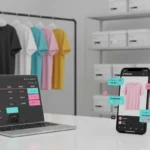
You add size options to TikTok Shop listings in TikTok Shop Seller Center by opening the product, going to Sales Information, enabling variations, choosing Size as the variation type, then adding each size with its own SKU, price, stock and product details.
A size option is the choice a shopper clicks before buying, such as Small, Medium, Large, UK 8 or EU 42. A TikTok Shop size chart is different. It shows measurements, fit notes and size conversions, but it does not replace the selectable size variation.
If you are setting up a catalogue and want fewer listing errors, TSLA can help sellers build cleaner product pages, accurate SKU structures and better conversion journeys through TikTok Shop Live Agency support. Getting this right early saves a lot of messy stock fixes later.
What Are TikTok Shop Size Options?
TikTok Shop size options are product variations that let customers choose the right version of the same item. For clothing, that may be XS, S, M, L and XL. For footwear, it may be UK 5, UK 6, UK 7 or EU 40.
The key point is that each size is normally treated as a separate SKU. A SKU is a stock keeping unit. In simple terms, it is the unique inventory record for one exact product version.
So if you sell a black hoodie in four sizes, you do not really have one product from an inventory point of view. You have four saleable versions of the same product, each with its own stock count.
Size Options Versus A Size Chart
A size option is what the customer selects before buying. A size chart is the table or image that helps the customer choose the correct size with confidence.
For example, the shopper may select Medium from the dropdown, but the size chart should explain what Medium means. It may include chest, waist, sleeve length and garment length in centimetres and inches.
If customers keep choosing the wrong size, the product page may be giving them a label without enough guidance. The buyer needs both the option and the measurements.
Before You Add Size Variations On TikTok Shop
Before using Seller Center, prepare your product data. It is much quicker to build the listing when you already know the sizes, SKU codes, prices, stock counts and measurements.
Slow down at this stage and check your size data properly. A few extra minutes here can save days of customer messages, returns and stock corrections later.
First, choose the correct product category. TikTok Shop can show different variation fields depending on the category, and some size options may only appear after you select apparel, footwear or another relevant category.
If you are unsure where category settings sit in the wider seller dashboard, this TikTok Shop Seller Centre walkthrough is useful for understanding the main sections before you edit products.
Next, decide your naming format. Do not use unclear labels like Option 1 or Size A. Use clear buyer language, such as Small, Medium, Large, UK 10, EU 38 or One Size.
For UK sellers, think about conversions early. If your label says UK 8, but your chart only shows US sizing, customers may hesitate or choose the wrong size.
Details To Prepare Before Adding Size Options
- Correct product category
- Clear size labels
- Unique SKU codes
- Accurate stock counts
- Current selling price
- Product identifier details
- Size chart measurements
How To Add Size Options To TikTok Shop Listings Step By Step
To add size options, log in to TikTok Shop Seller Center and open the product listing area. Go to Products, then choose Add Products for a new item, or open an existing product if you are editing a live listing.
Complete the basic product information first. Add the product name, select the right category, enter the brand where required, add product attributes, upload images and write a clear description.
Then scroll to Sales Information. This is where TikTok Shop product variations are controlled, including size, colour and other options that apply to the same product.
Turn on Enable Variations. Choose Size as the variation style if it is available in your category, then add your size values using TikTok’s available options where shown.
Some categories use standard values, which means TikTok provides a fixed list. Some also use cascading options, where you pick the type of sizing first, then see the related values. TikTok explains this in its official standard variations guidance.
If custom values are allowed, you may be able to add labels such as Tall, Petite or UK 12 Long. Only use custom names when they clearly describe the item and match your size chart.
Complete Every SKU Row Correctly
After you add the size values, TikTok Shop creates SKU rows. Each row needs the right data before the listing can be submitted and before it can work well for buyers.
Add a unique SKU code for every size. For example, a black hoodie could use HOOD BLK S for Small, HOOD BLK M for Medium, HOOD BLK L for Large and HOOD BLK XL for XL.
Then add the price and stock for each size. Do not assume one stock number covers every option. If Medium has 25 units and XL has 7, those numbers need to sit on the correct SKU rows.
If TikTok rejects your listing, check your SKU data first. You may also need product identifiers, package weight, parcel dimensions or variation specific images.
Adding Colour And Size Variations Together
Colour and size variations can usually sit under one TikTok Shop listing when the item is the same product. For example, if the same hoodie comes in black and white, and each colour comes in Small, Medium and Large, one product listing is often the cleaner choice.
In Sales Information, add Size as one variation and Colour as another. TikTok Shop will then generate combinations such as Black Small, Black Medium, Black Large, White Small, White Medium and White Large.
Each combination needs its own SKU, price and stock. This is where sellers often make mistakes because six combinations means six stock records, not two colours and three sizes loosely grouped together.
If you manage larger catalogues, strong inventory habits matter. The principles in this TikTok Shop inventory management guide can help prevent overselling when size and colour combinations start multiplying.
How To Create A TikTok Shop Size Chart
A TikTok Shop size chart should answer the buyer’s next question: which size should I choose? It should be specific, easy to read and matched to the exact size labels on your listing.
In the product editing page, look for the size chart or sizing information area. Depending on the category, you may be able to choose a template, enter measurements manually or upload a size chart image.
For apparel, include the measurements that genuinely help the buyer choose. Keep it simple. Your goal is not just to list sizes. It is to remove doubt.
- Chest
- Waist
- Hip
- Shoulder
- Sleeve length
- Garment length
- Fit notes
- Size conversions
For shoes, include foot length and UK, US or EU size conversions where useful.
Use centimetres for UK shoppers, and add inches if your audience expects them. Be clear whether the numbers refer to body measurements or garment measurements because those are not the same thing.
Add fit guidance too. Simple notes like regular fit, slim fit, relaxed fit, oversized or true to size can reduce hesitation and returns.
Getting sizing wrong creates returns, unhappy buyers and avoidable admin. Once your size structure is set up properly, it becomes much easier to manage across the whole catalogue.
UK Sizing Tips For TikTok Shop Sellers
UK customers are used to familiar labels, so do not make them work too hard. If you sell women’s clothing, UK 8, UK 10 and UK 12 may be clearer than only S, M and L.
For footwear, UK shoe sizes should be visible if you are selling mainly to UK buyers. EU and US equivalents can sit in the size chart, but the selectable option should match how your target customer shops.
For international brands, keep conversions consistent across the title, product description, size chart and images. If one image says EU 40 equals UK 6 and your chart says UK 7, buyers will lose trust fast.
This is not just about tidy admin. Accurate sizing supports TikTok Shop product listing optimisation because shoppers are more likely to buy when the page feels clear, complete and low risk.
Example Of Size SKU Variations
A simple size structure for a black hoodie may look like this:
Small: SKU HOOD BLK S, price £39.99, stock 12.
Medium: SKU HOOD BLK M, price £39.99, stock 25.
Large: SKU HOOD BLK L, price £39.99, stock 18.
XL: SKU HOOD BLK XL, price £39.99, stock 7.
The customer sees four size choices, but your back end sees four separate SKU records. Your size chart should then explain the actual chest, length and sleeve measurements for Small, Medium, Large and XL.
If you are also working on descriptions, images and search visibility, TSLA’s advice on TikTok Shop product title optimisation can help make the full listing easier to find and easier to buy from.
Common Problems With TikTok Shop Size Options
If the Size option is missing, check the product category first. TikTok may not show size variations if the item is placed in a category where sizing does not normally apply.
If custom size values cannot be entered, the category may require standard values. In that case, choose the closest accurate option and use the chart and description to add extra detail.
If the size chart does not appear, confirm that the selected category supports sizing information. Some categories may not show the same chart tools as fashion or footwear.
If TikTok rejects a variation, check whether all options are genuinely the same product. Do not group unrelated products together just to save time or traffic.
If colour and size combinations are wrong, go back to the generated SKU matrix. Remove combinations you do not stock, check the images, and make sure every row has the right price and quantity.
When To Use A New Listing Instead
Use size variations when the product is the same item in different sizes, colours, patterns or styles. This keeps the buying experience tidy and avoids duplicate product pages.
Create a separate listing when the product is materially different. A redesigned model, different product type, incompatible bundle or unrelated item should not be hidden as a variation.
Think like a customer. If the same description, images and size chart make sense for all options, variations are probably right. If not, build a separate product page.
Pre Publishing Checklist For Size Options
Before submitting your listing, check the basics slowly. Rushing this stage is how sellers end up with missing stock, wrong size labels and avoidable customer messages.
- Correct category selected
- Size variation enabled
- Labels match the chart
- Unique SKU added for each size
- Price entered clearly
- Stock entered accurately
- Measurements include units
Also check that product images do not contradict the selected size options. If an image shows a two piece set but the variation is only for size, make that clear in the description.
Once everything matches, submit the listing for review. If it comes back with a rejection, fix the exact field mentioned rather than rebuilding the entire listing from scratch.
Frequently Asked Questions
Can I Add Multiple Sizes To One TikTok Shop Listing?
Yes, you can add multiple sizes by enabling product variations in Seller Center and selecting Size as the variation type. Each size should have its own SKU details, price and stock.
Does Each Size Need A Separate SKU?
Yes, TikTok Shop generally treats each product variation as an individual SKU. That means Small, Medium and Large should each have their own inventory record.
Can I Add Both Colour And Size?
Yes, you can use two variation levels when the product is otherwise the same. For example, black and white colours with three sizes will create six SKU combinations.
Do I Need A TikTok Shop Size Chart?
It depends on the category, but fashion, footwear and fitted products should always include clear sizing information. A good chart helps shoppers choose correctly and can reduce returns.
Why Is The Size Option Not Showing?
The most common reason is the product category. Recheck the category, look for standard or cascading options, and make sure the product type supports size variations.