Can TikTok Shop Streamer Desktop Boost Online Selling?
Yes, TikTok Shop Streamer Desktop can boost online selling when used in the right way. It gives you more control, better production quality, and stronger selling tools than mobile streaming. That often leads to higher conversion rates and better average order value.
But it is important to be honest. The tool alone will not increase your sales. Results come from how you use it. If your live strategy is weak, even the best desktop setup will not fix it.
If you have ever gone live and had no engagement, that is usually a strategy issue, not a tech issue.
That is why structured execution matters. Many UK brands work with experts like TikTok Shop Live Agency TSLA to turn these tools into real revenue systems instead of just better looking streams.
Understanding TikTok Shop Live Selling And Streamer Desktop
TikTok Shop LIVE selling is a format where you present products in real time while viewers can buy instantly using pinned products and the shopping bag. It combines entertainment with ecommerce, which is why it converts well.
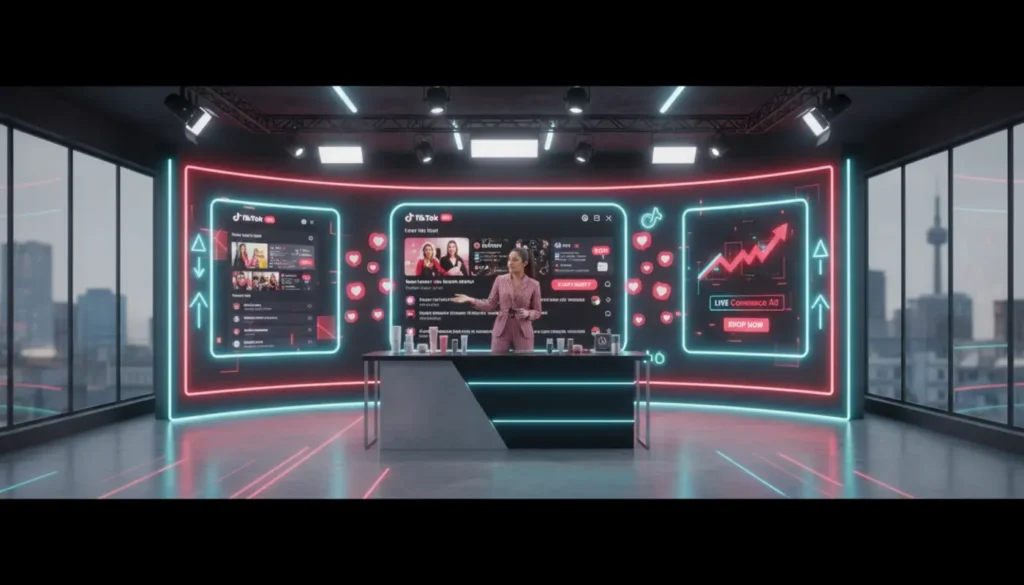
Streamer Desktop is TikTok’s PC based tool that allows sellers, creators, and brands to run live sessions with more control. Instead of relying on a phone, you get access to a full dashboard with scenes, overlays, product controls, and analytics.
If you are still learning the basics, it helps to understand how everything connects by reading how TikTok Shop works. Streamer Desktop is just one part of a larger system.
Mobile Vs Desktop Streaming Experience
Mobile streaming is simple. You tap go live, talk about products, and pin items. It works well, especially for beginners.
Desktop streaming offers a different experience. You can switch camera angles, add visuals, show product details on screen, and manage everything more smoothly. This creates a more professional feel, which builds trust and often improves conversions.
Most viewers feel more confident buying from a stream that looks organised and clear.
How TikTok Shop Streamer Desktop Boosts Online Selling
The real impact of TikTok Shop Streamer Desktop comes from improving the buying experience. When the experience improves, sales usually follow.
Better Production Builds Trust
Clear visuals, good lighting, and strong audio make your brand look reliable. When people trust what they see, they stay longer and are more likely to buy.
Stronger Product Demonstration
You can show close ups, switch views, and explain features clearly. This helps answer questions instantly and reduces buyer hesitation.
Smarter Product Pinning
Desktop tools make it easier to control when products appear. Timing plays a big role. Showing the right product at the right moment can increase conversions.
Real Time Analytics Decisions
You can see how viewers behave during the live and adjust quickly. If engagement drops, you can switch products or introduce an offer.
Higher Perceived Value
A clean and polished stream feels more premium. This often allows you to sell at better prices without relying too much on discounts.
Setting Up TikTok Shop Streamer Desktop Step By Step
Getting started is simple when you follow the right steps.
Account And Access Requirements
You need a TikTok Shop account linked to your TikTok profile. Some features may require approval depending on your account.
Connect Your Shop Properly
Make sure your products are uploaded and organised in Seller Centre. A poor setup will affect your live performance from the start.
Use TikTok LIVE Studio Or OBS
You can use TikTok LIVE Studio or tools like OBS for more advanced control. According to OBS Studio, their software allows full control over scenes and stream quality, which is why many sellers prefer it.
Prepare Your Live Environment
- Strong internet connection
- Clear lighting
- Good audio
- Clean background
- Products ready nearby
- Backup plan for tech issues
- Simple scene transitions
Building A High Converting TikTok Shop Live
Tools do not sell products on their own. Structure and delivery do.
Pre Live Planning Matters
Plan your product order, key points, and offers before going live. Promote your session with short videos to build interest.
Product Selection Strategy
Focus on 3 to 5 products per session. Mix lower priced items with one or two higher value products to balance sales.
Live Flow That Drives Sales
Start with a strong opening, introduce your best product early, and rotate products every few minutes. Keep the energy consistent.
If your offer is weak, no setup will fix it.
For a deeper breakdown, this resource on TikTok LIVE selling strategy in the UK explains how high performing streams are structured.
Engagement And Urgency
Ask questions, reply to comments, and create urgency with limited time offers. Give viewers a clear reason to buy now.
Post Live Optimisation
After the live, review performance data. Clip key moments and reuse them as short videos to extend results.
Desktop Streaming Playbooks By Product Type
Different products benefit from different approaches.
Beauty And Skincare
Use close up shots and before and after views. Show texture and results clearly.
Home And Kitchen
Use overhead angles and real use demonstrations. Show how the product fits daily life.
Electronics And Gadgets
Use screen sharing and overlays to explain features. Comparisons work well here.
Digital Products
Walk through the product step by step. Show exactly what the buyer will receive.
Using Analytics To Improve Sales Performance
Data shows what your audience responds to, which helps you improve over time.
Key Metrics To Watch
Track viewer retention, product clicks, add to cart rate, and purchases. These give clear signals of performance.
Make Decisions During The Live
If viewers drop, change your approach. Switch products or introduce an offer. If something works, stay on it longer.
Build Long Term Strategy
Over time, patterns appear. You will see which products, timings, and formats generate the most revenue.
Combining Desktop Live With Ads And Content
To get better results, combine live streaming with other channels.
Use Ads To Drive Traffic
Promote your live sessions using TikTok ads to bring in more viewers.
Repurpose Content
Turn live highlights into short videos with product links to keep sales going after the stream ends.
Cross Channel Strategy
Share your live content across email, your website, and other platforms to strengthen your overall sales funnel.
Practical Checklist For Your First Desktop TikTok Shop Live
Follow this simple checklist:
- Set up TikTok Shop account
- Connect products properly
- Install streaming software
- Test audio and video
- Plan product sequence
- Create teaser content
- Go live with structure
- Track analytics during the stream
- Adjust based on performance
- Review results after
Final Thoughts On Whether Streamer Desktop Is Worth It
TikTok Shop Streamer Desktop is worth using if you want to scale your sales. It helps you create a better experience, which supports better results.
However, it is not a shortcut. Without a clear plan, strong delivery, and regular testing, results will stay average.
The brands that succeed treat live selling as a system. They test, improve, and build based on data. That is where real growth happens.
Frequently Asked Questions
Is TikTok Shop Streamer Desktop free to use?
Yes, TikTok provides access to Streamer Desktop tools, but some features may require account approval.
Do I need OBS for TikTok Shop live streaming?
No, but OBS gives more control over visuals and layout, which can improve stream quality.
Does desktop streaming increase sales instantly?
No. It improves your setup, but results depend on your strategy and execution.
Can beginners use TikTok Streamer Desktop?
Yes, but there is a learning curve. Start simple and improve over time.
How often should I go live on TikTok Shop?
Consistency matters more than frequency. Around 3 to 4 structured sessions per week can deliver strong results.